In this article
Step-by-step linking
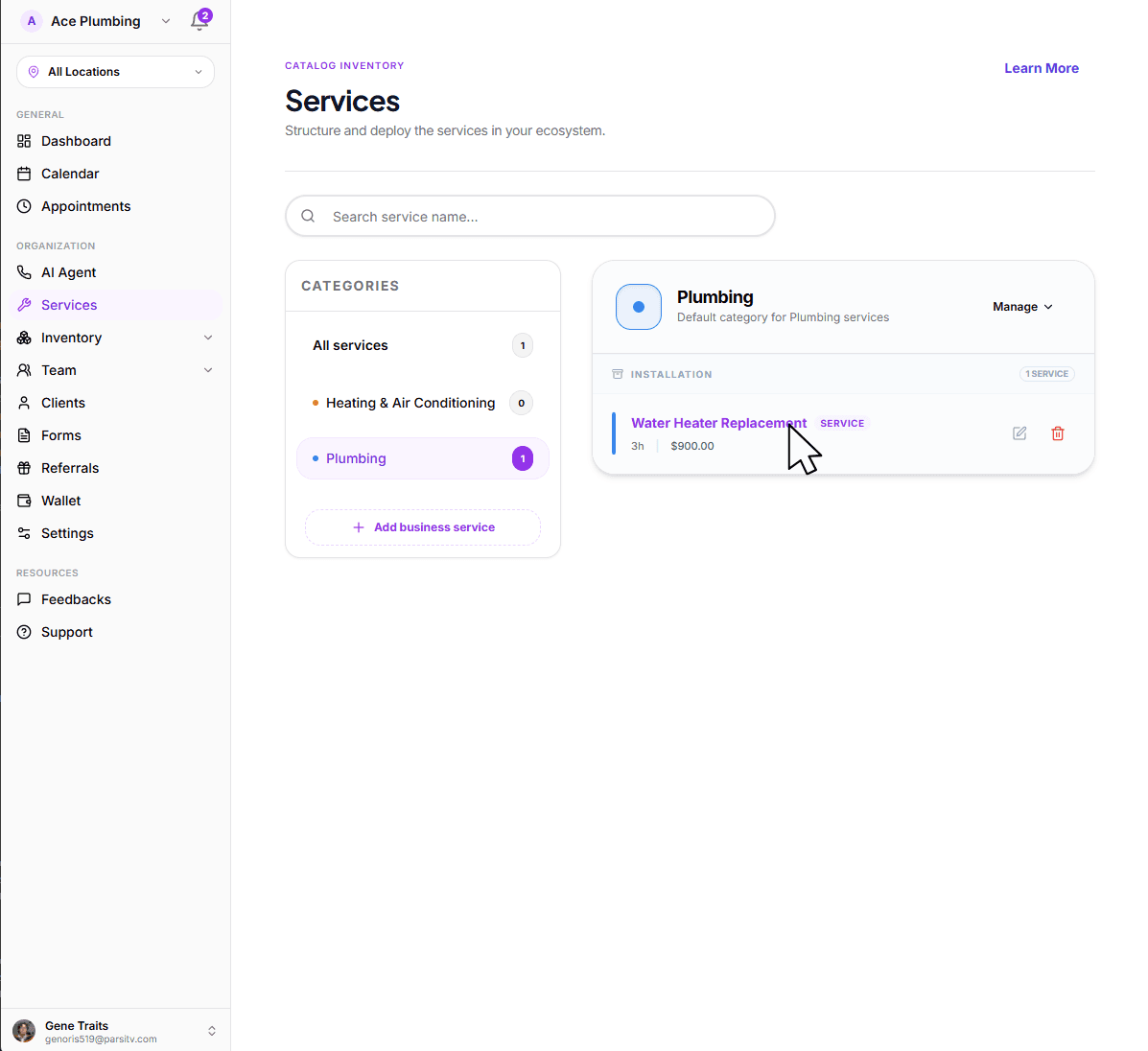
Open the global menu and tap the Services tab.
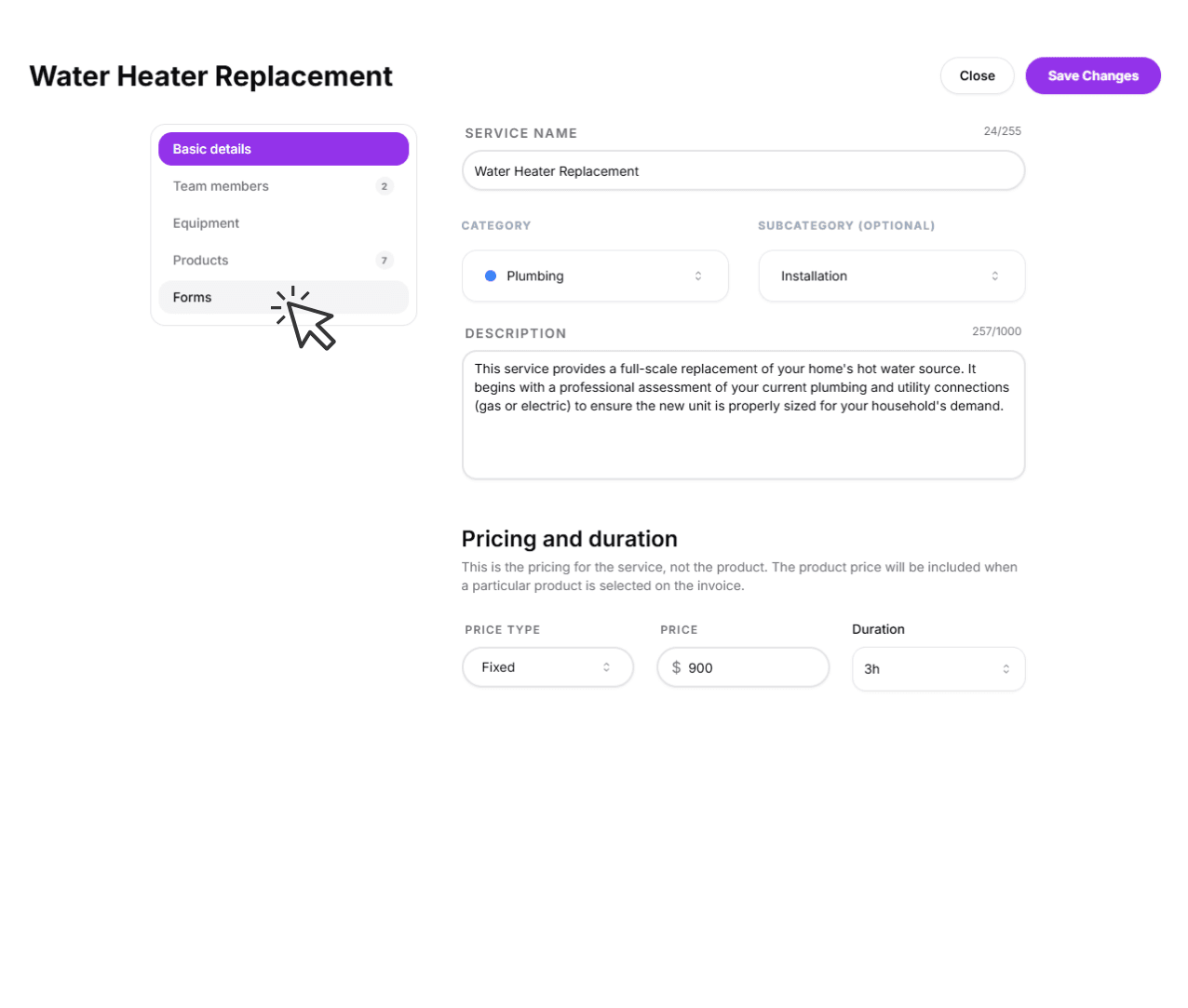
Tap on any service to open its management sheet.
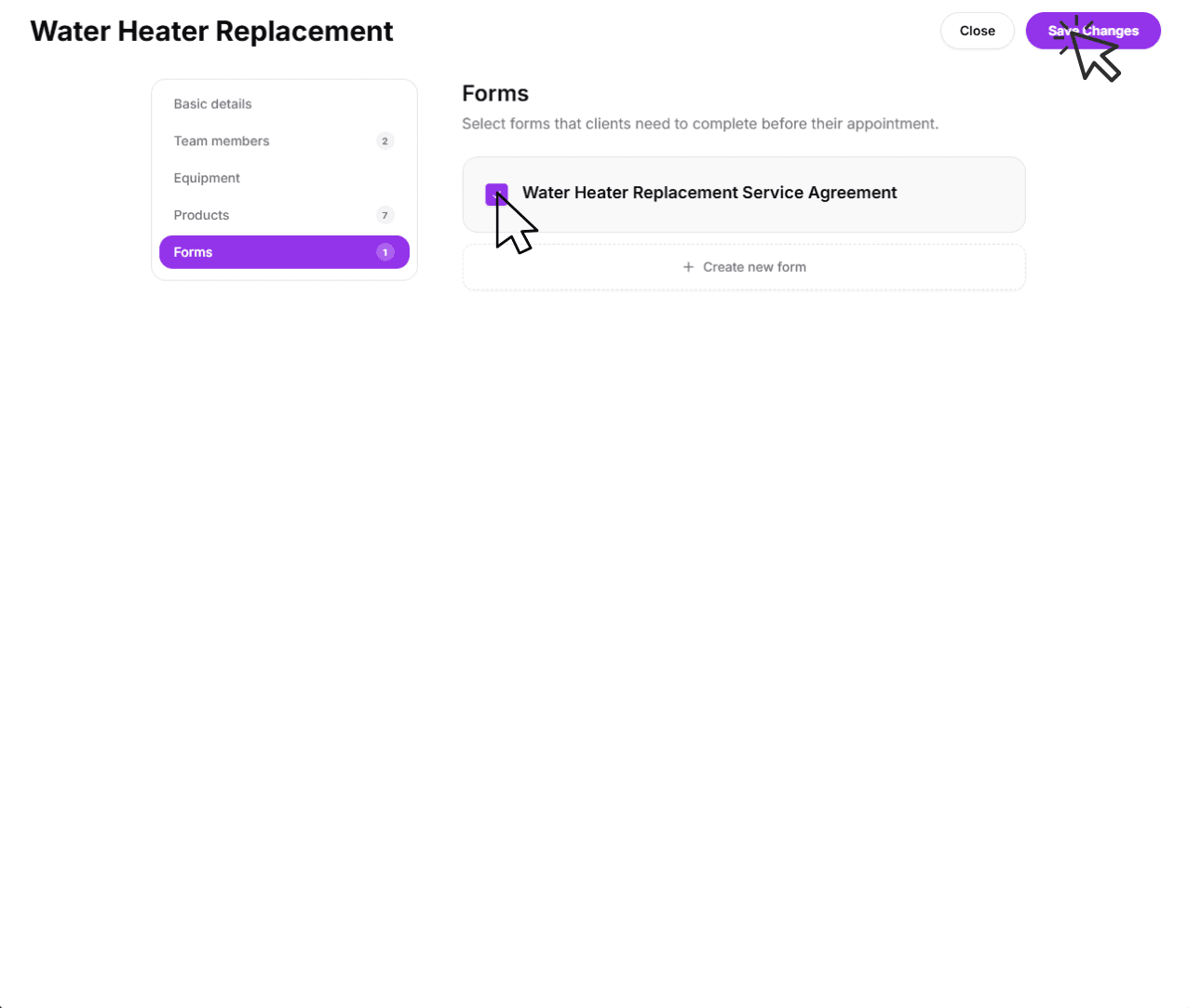
Tap the Forms option in the menu.
Select your forms and tap Save Changes at the bottom.
Automated workflows
When a form is linked to a service, it becomes part of that service's workflow automatically. Every time an appointment is created for that service, the linked forms are attached to the job — no manual steps required.
Pre-appointment intake
Consultation or intake forms linked to a service can be sent to the customer before the appointment so your technician arrives with everything they need.
On-site checklists
Job checklists linked to a service appear in the technician's job view during the appointment, ensuring consistent documentation on every visit.
You can link multiple forms to a single service. The order they appear in the list is the order they're presented during the job workflow.
Learn how to create forms
Linking forms is only half the battle. To truly customize your workflow, you should learn how to build complex, conditional forms from scratch using our drag-and-drop editor.
Ready to build?
Learn how to create custom sections, conditional logic, and advanced field types in our forms manager.
View guide: How to create forms