In this article
How services work
Services are the core offerings that clients book through your business. They represent the installations, repairs, or tasks your team performs for customers.
Automatic Categories
Your primary service categories are automatically linked to the Business Types you selected during organization signup. This ensures your menu is professionally structured from day one.
Inside each category, you add services directly. Each service can have its own pricing, duration, assigned team members, equipment, products, forms, and appointment types.
AI Agent Synergy
Every detail you add—including service names, prices, and durations—is automatically synced to your AI Agent's Knowledge Base. When customers call to inquire about your offerings, the agent uses this data to provide instant, accurate information about what you do, how long it takes, and what it costs.
Add basic service details
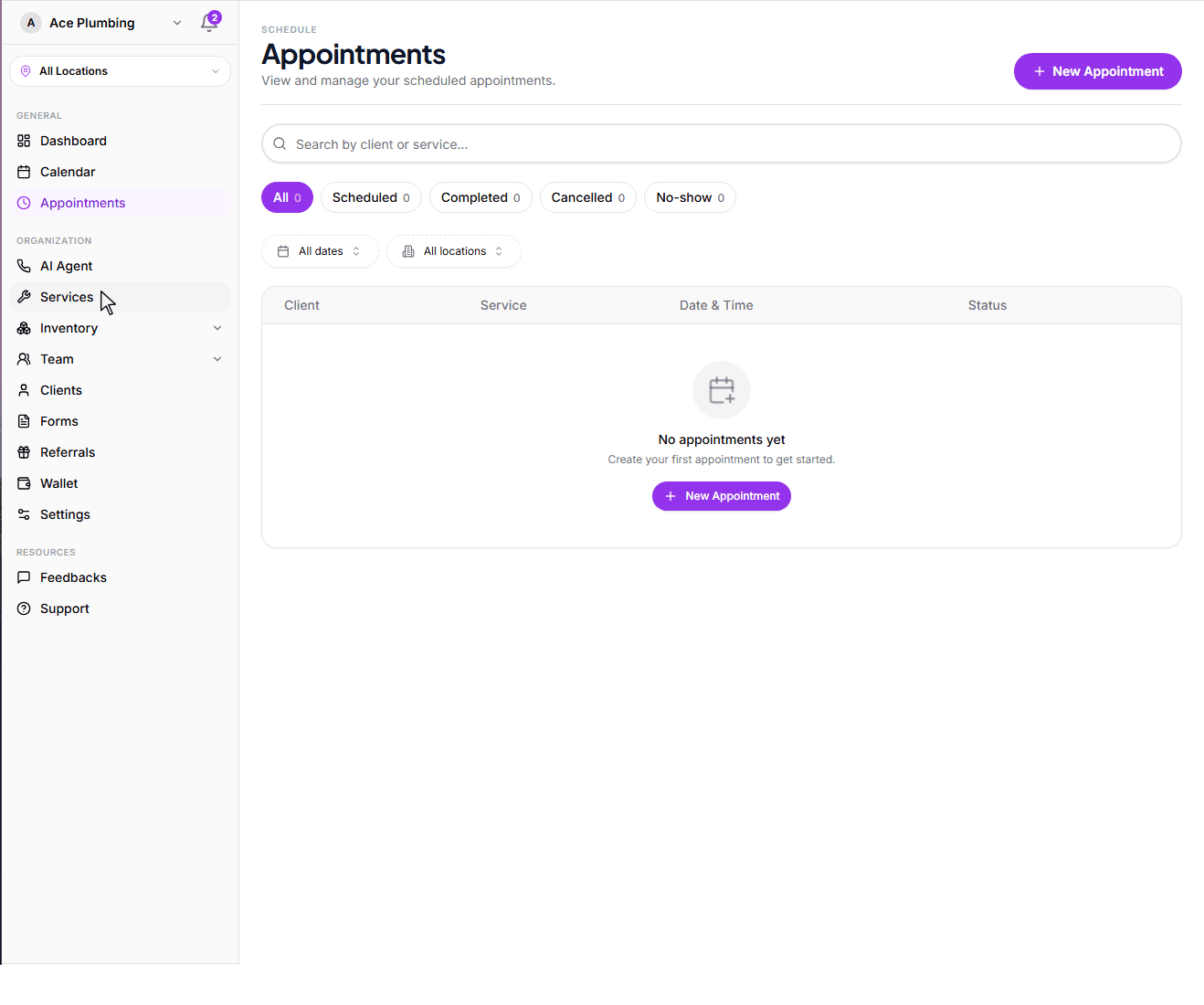
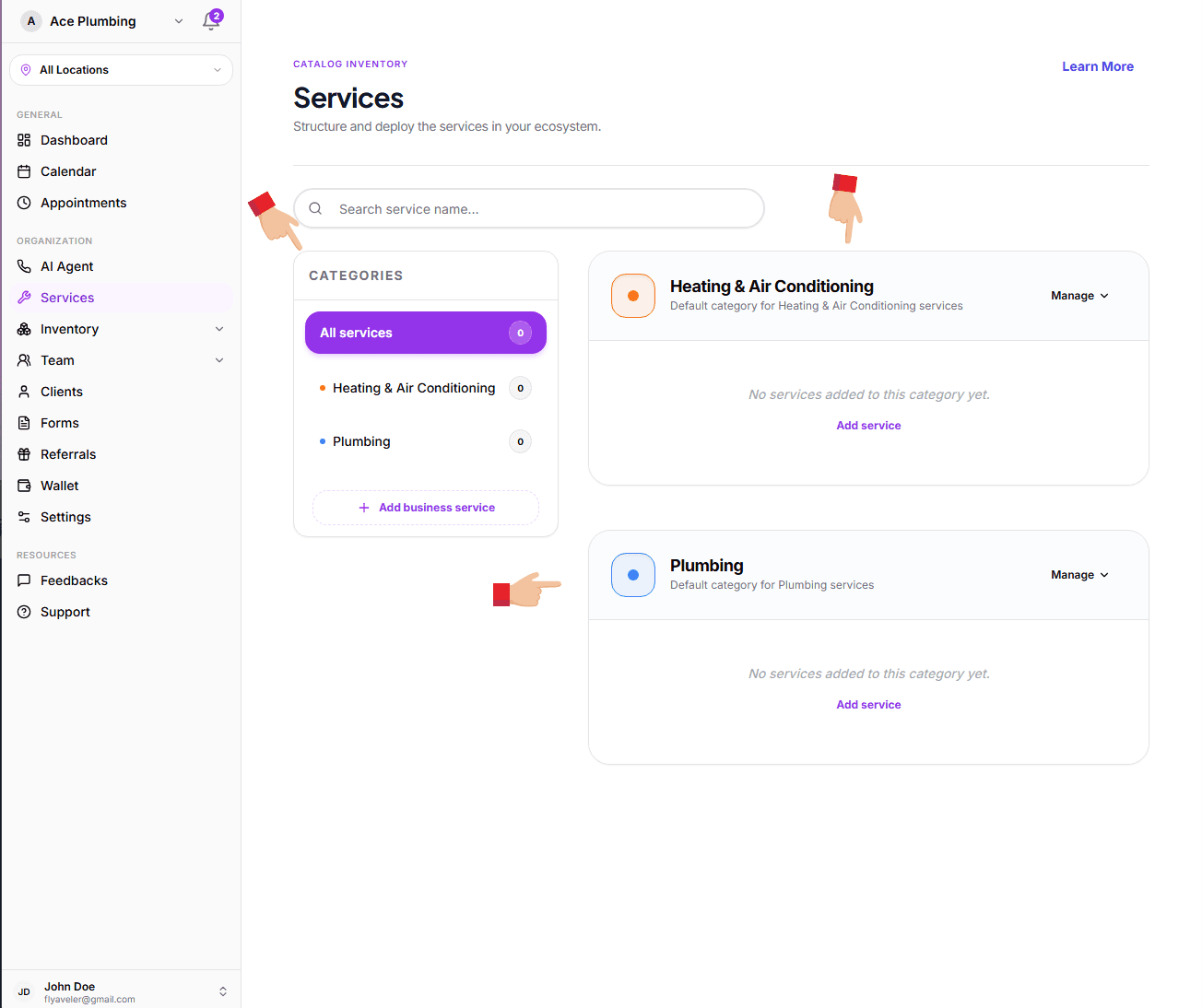
Open the global menu by clicking the menu iconin the top corner, then tap the Services tab.
Find the right category. You can select a particular category from the horizontal pills at the top to see a specific view of only those services.
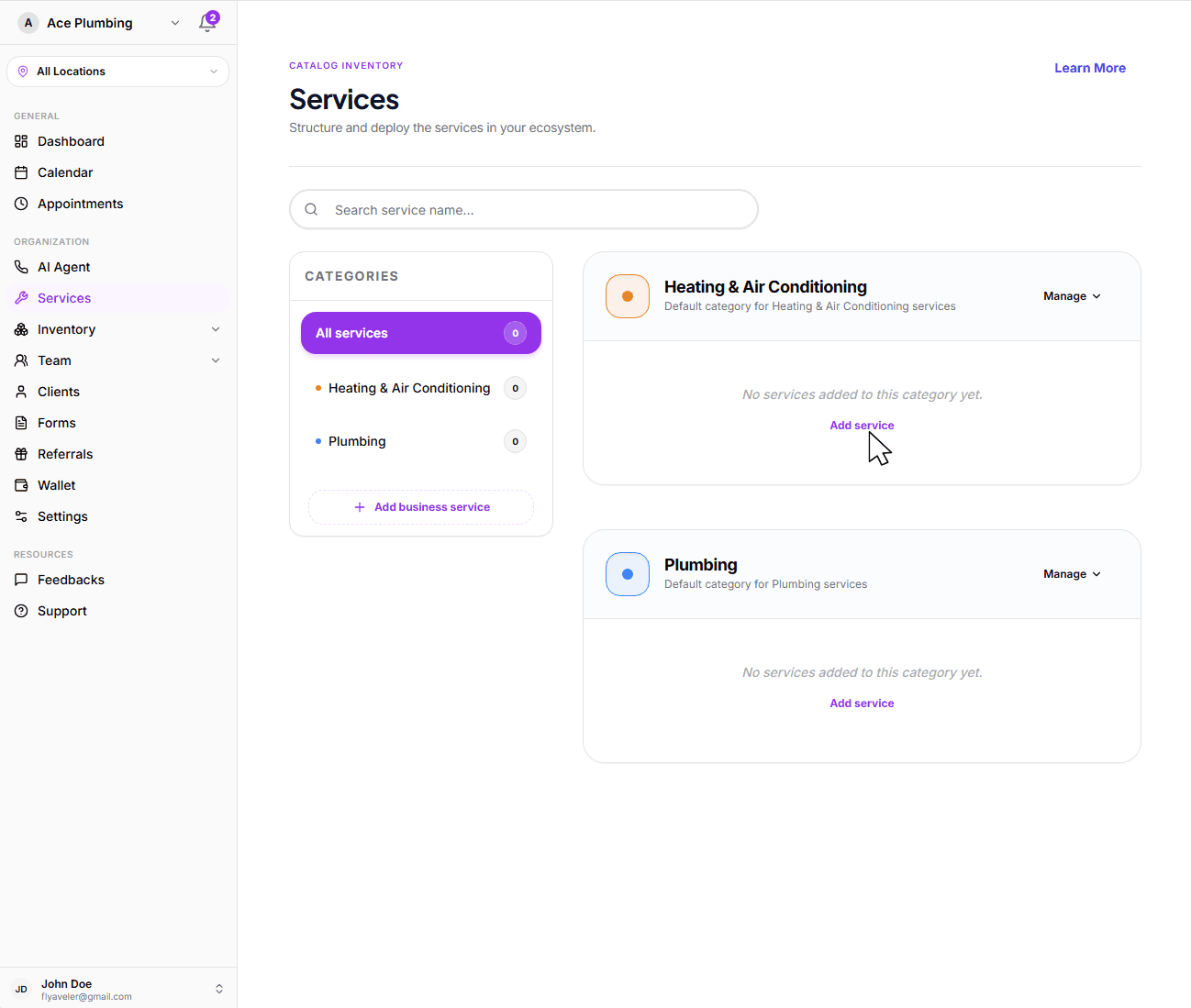
Locate the category you want to add the service in and click the Add service button, or open the Manage dropdown and select Add service.
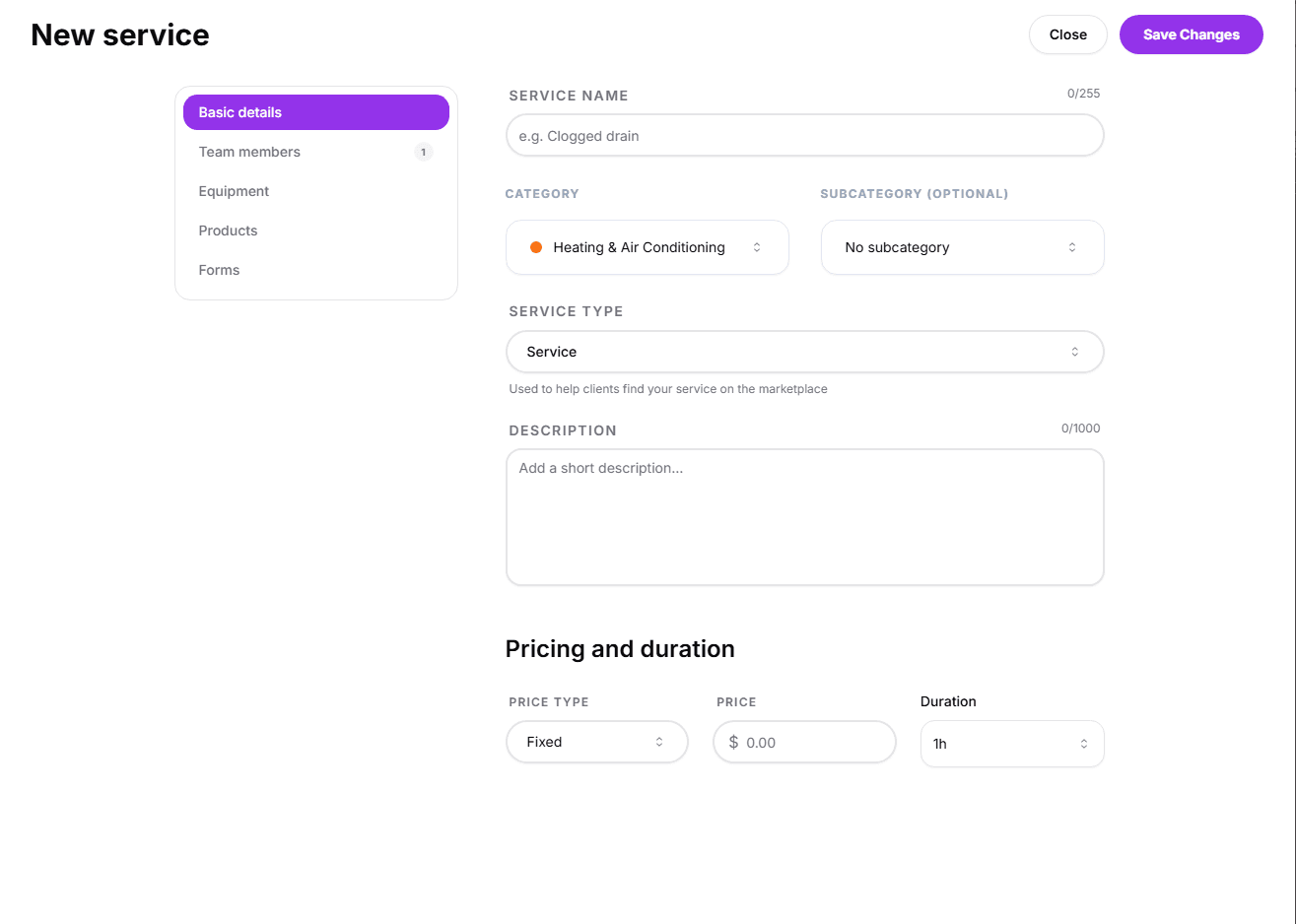
Fill out the required fields under the Basic Details tab and tap Save at the bottom.
For more information on the other tabs, follow these links:Team members,Equipment,Products, andForms.
Next: Configure the details
Now that you've created your first service, configure it fully by setting a name, description, pricing, and duration in the Basic details tab.
Ready to configure?
Learn how to set names, descriptions, pricing, and duration for your services.
View guide: Basic details