In this article
Core Service Attributes
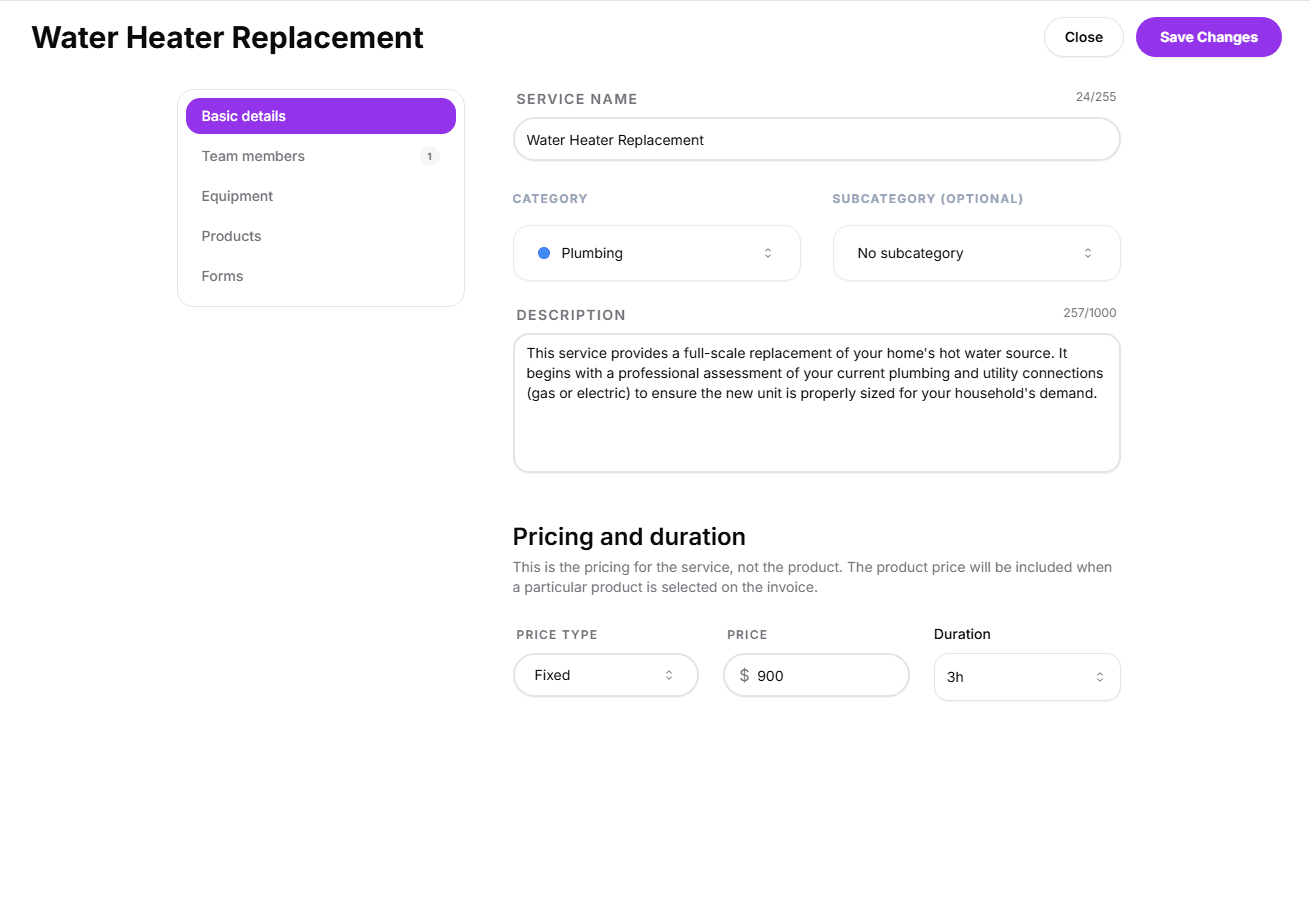
The Basic Details tab is the first step in defining your service. It contains the primary information that identified the service across your dashboard, the customer booking portal, and your AI Agent's knowledge.
Service Name
This is the public-facing name of the service. Keep it descriptive and clear so our AI agent can accurately match the service with the problem the customer is describing, and so customers can easily identify what they are booking.
Category
Select the main category for the service. Categories are linked to your Business Types and help organize your service menu for easy navigation.
Description
Provide a detailed summary of what the service entails. This information is shown to customers during booking and used by the AI Agent to answer specific questions about your offerings.
Pricing and Duration
Important Note on Invoicing:
The price set here is the pricing for the service only, not the product items. Any product prices will be automatically included as separate line items when a particular product is selected on the final invoice.
Price Type
- Fixed: A set, non-negotiable price for the service.
- From: Indicates a starting price that may increase based on the scope of work.
Price
Enter the base numerical value for the service. This information is used for internal accounting and final invoicing.
Duration
Set how long the service typically takes to complete. This duration is used to manage your team's availability and prevent overbooking on your calendar.
Next: Assign your team
Configuration doesn't end with pricing. To make your services bookable, you need to assign which team members are qualified to perform them.
Ready to assign staff?
Learn how to link your team members to specific services and manage their availability.
View guide: Team Members