Step-by-step guide
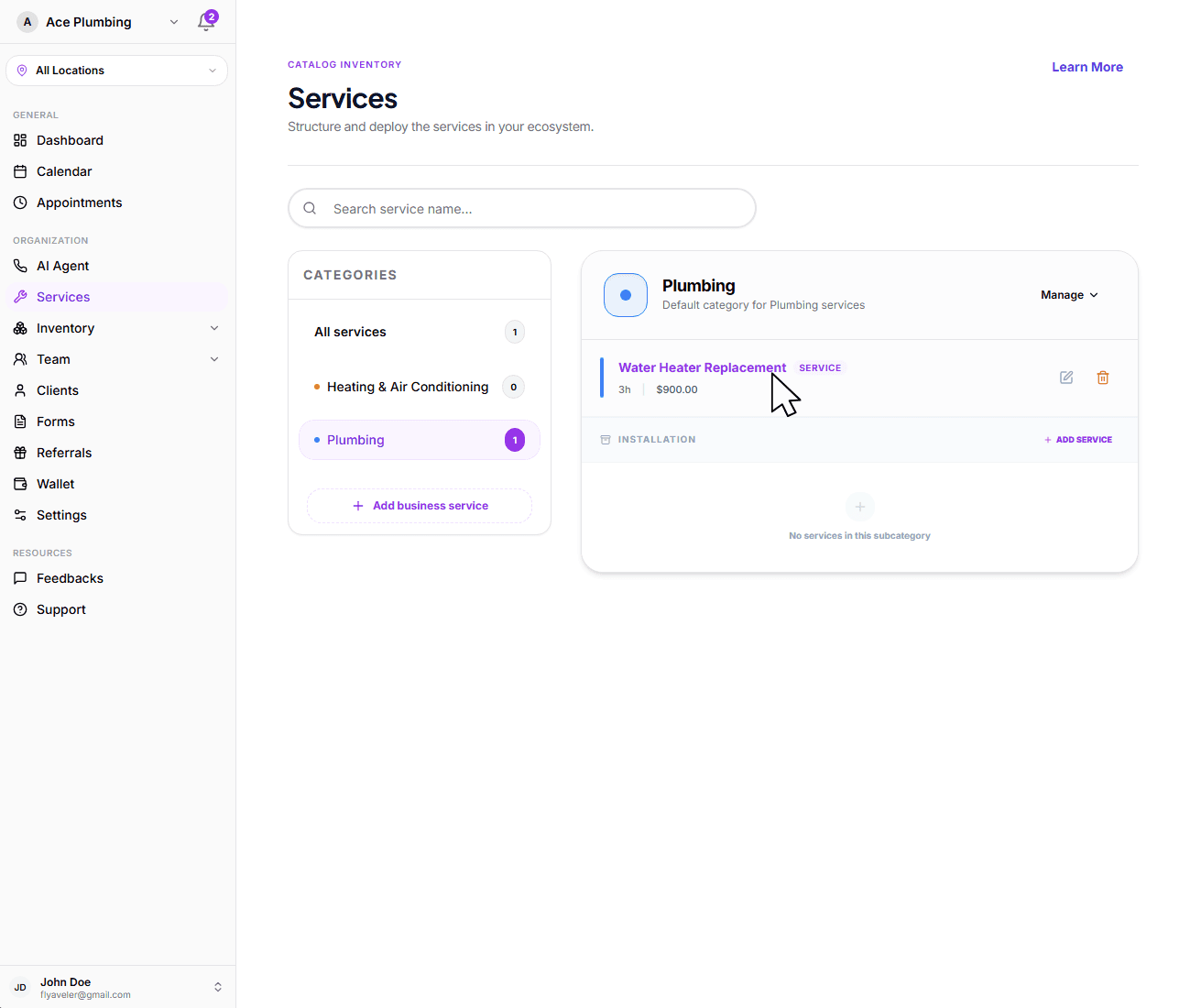
Find your service
Navigate to the service you want to move into a subcategory by clicking on it in the services list.
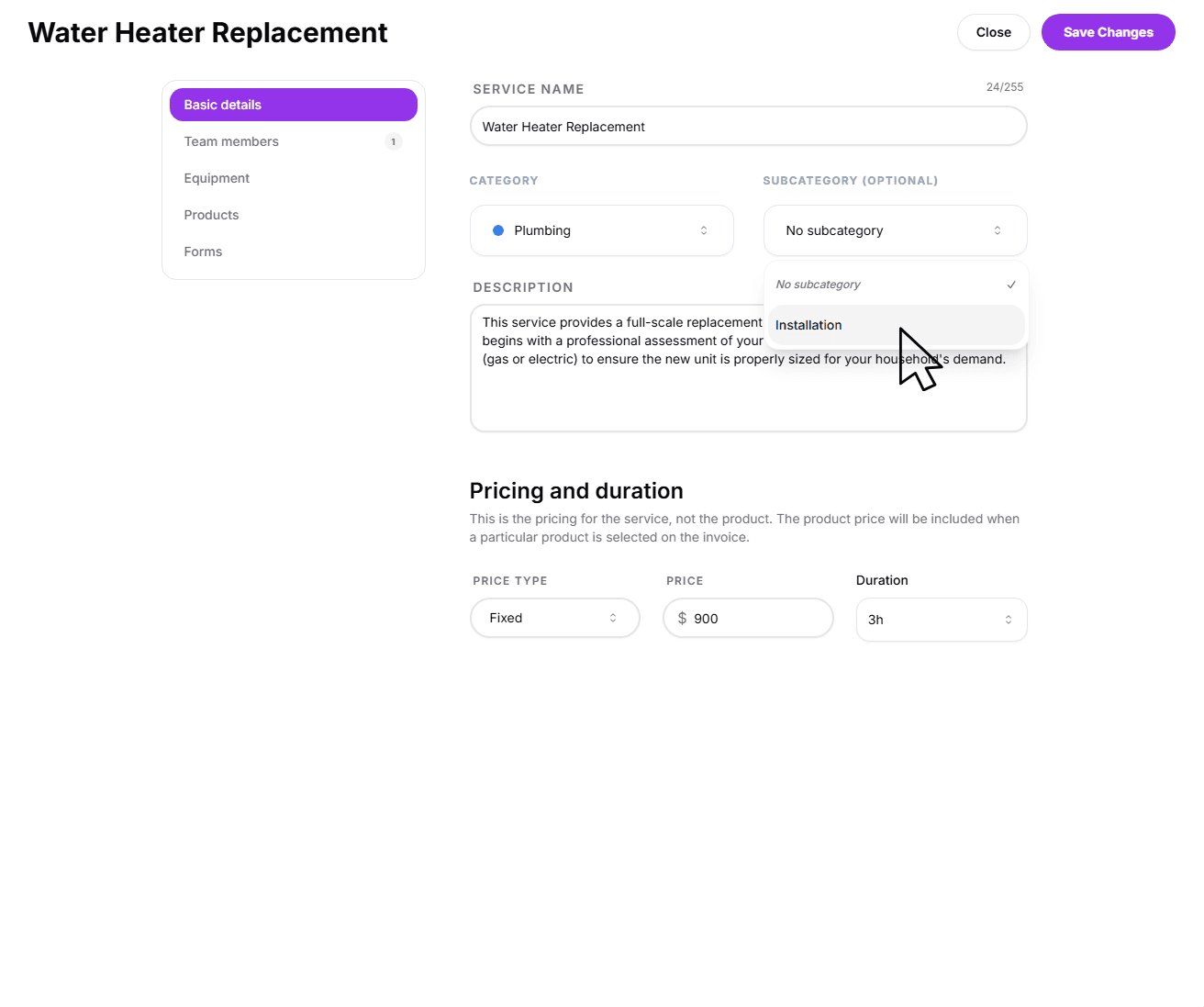
Select the subcategory
Stay in the Basic Details tab and select the Subcategory dropdown, then select the subcategory you want to move the service into.
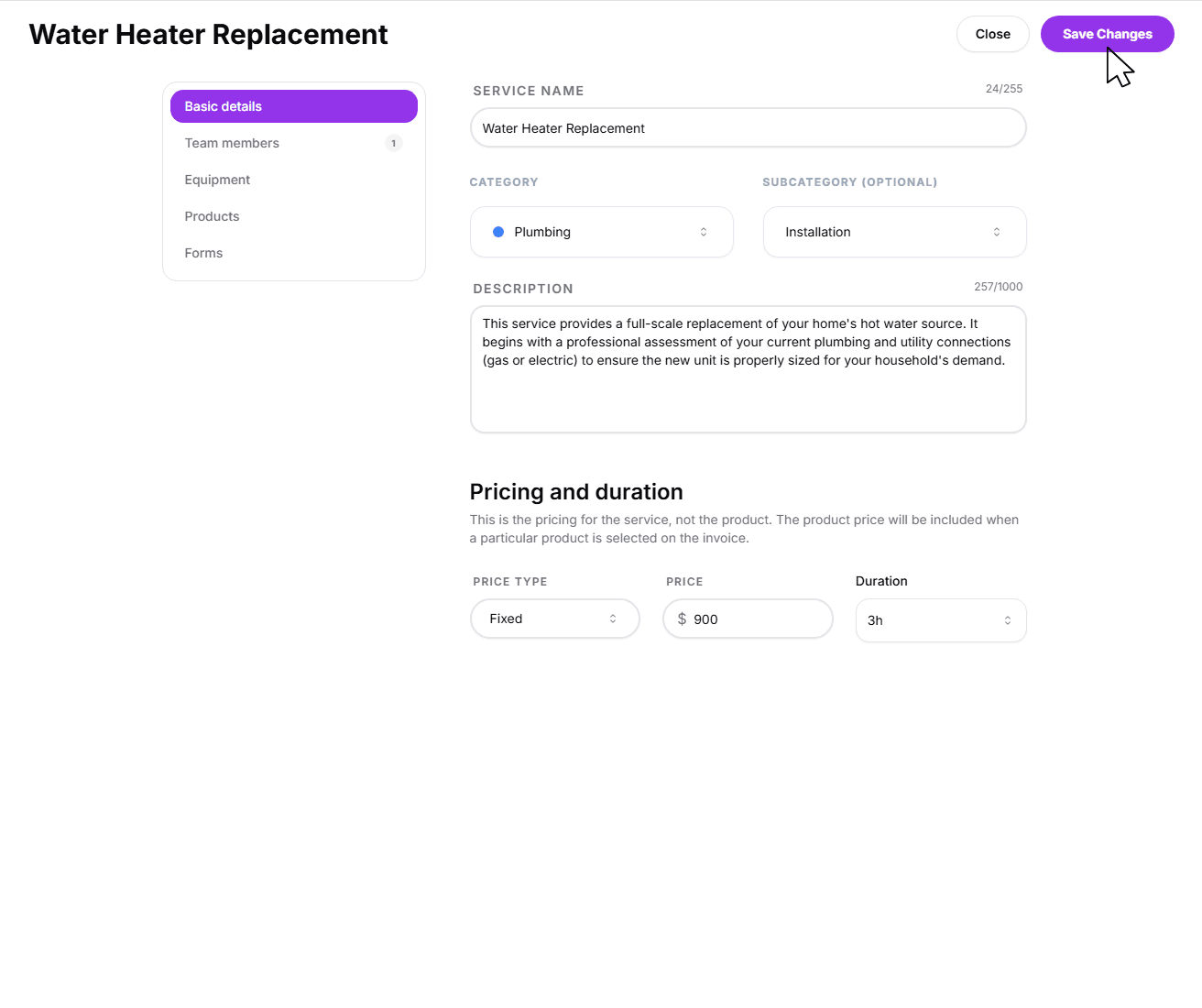
Save the changes
Once your sub-grouping is selected, click Save changes at the bottom of the service sheet.
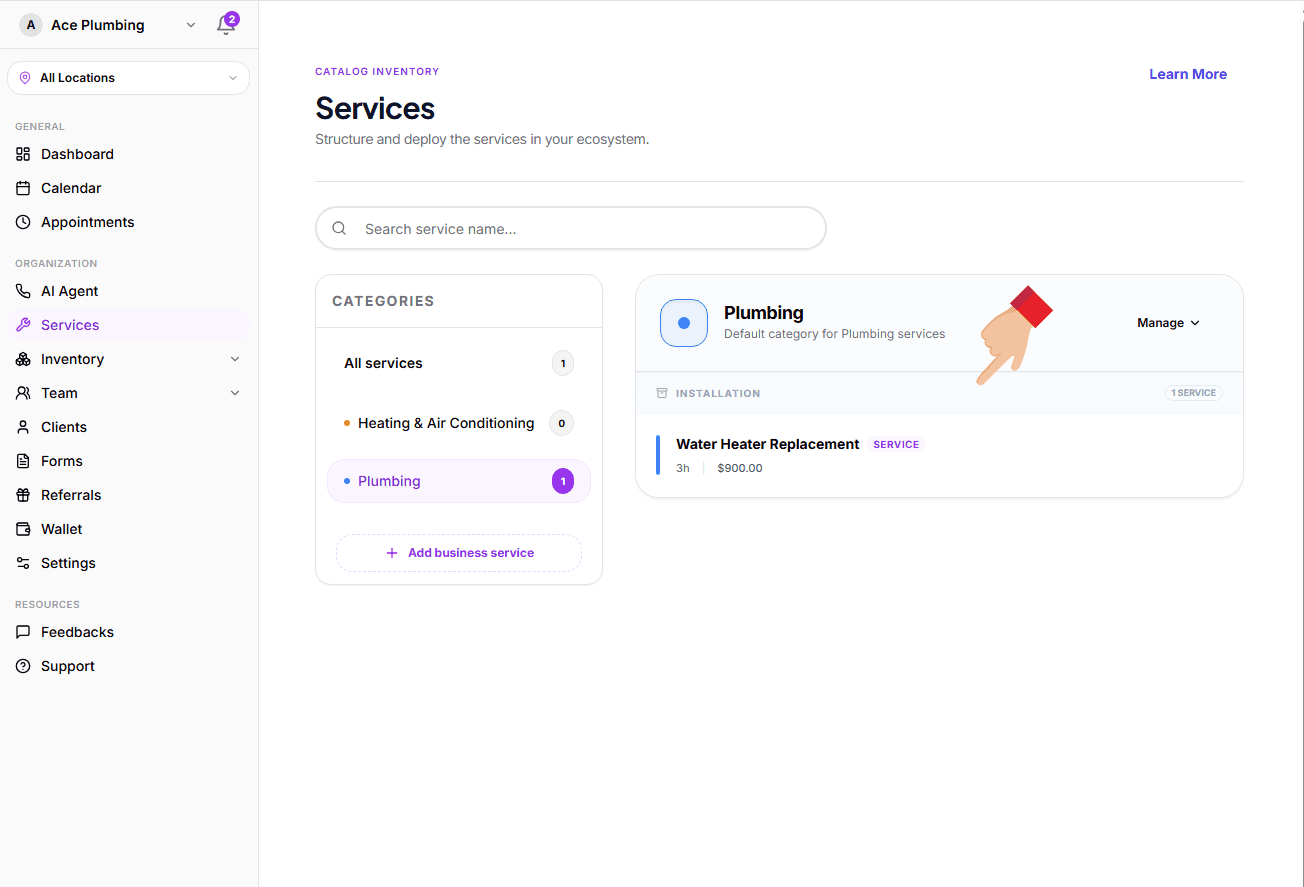
Verify the move
Once your changes are saved, you will be navigated back to the Services page. Ensure that your service is now correctly displaying under its new sub-grouping.
Next: Basic details
Now that your services are correctly grouped, you should ensure that the base descriptions and pricing details are accurate for each task.
Ready to refine?
Learn how to manage core identity, categorization, and pricing for your services.
View guide: Basic details