In this article
How wallet setup works
To receive payments and withdraw funds to your bank account, you must complete the secure onboarding process. This ensures your business is verified and your financial data is protected.
Secure Onboarding
We use industry-standard encryption and verification partners to handle your bank details and identity information. This process is mandatory for all merchants to comply with financial regulations.
What you'll need
Before you begin, have your Legal Business Name, Tax ID (EIN/SSN), and Bank Account Details (Routing and Account numbers) ready. The process usually takes less than 5 minutes.
Step-by-step setup guide
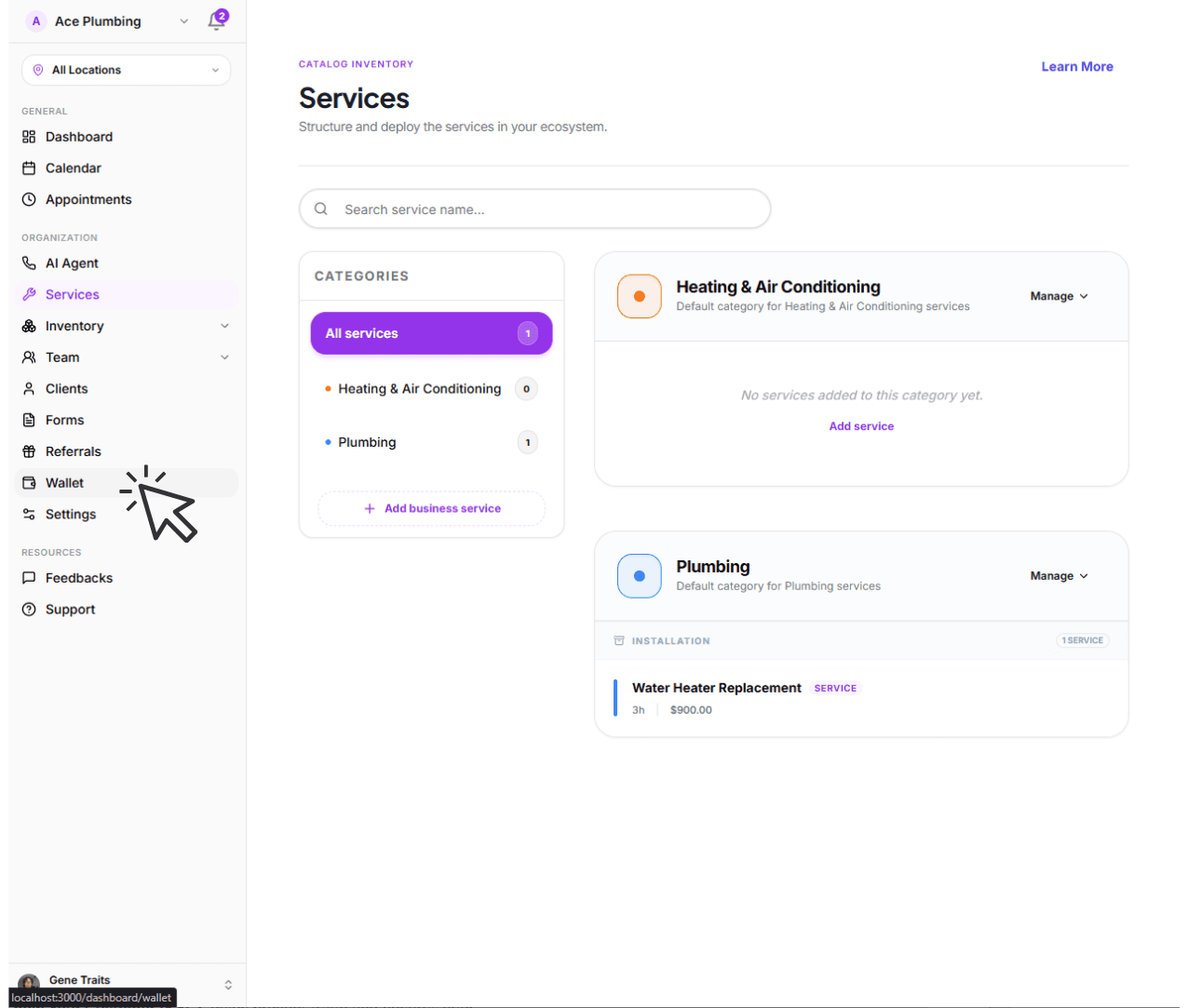
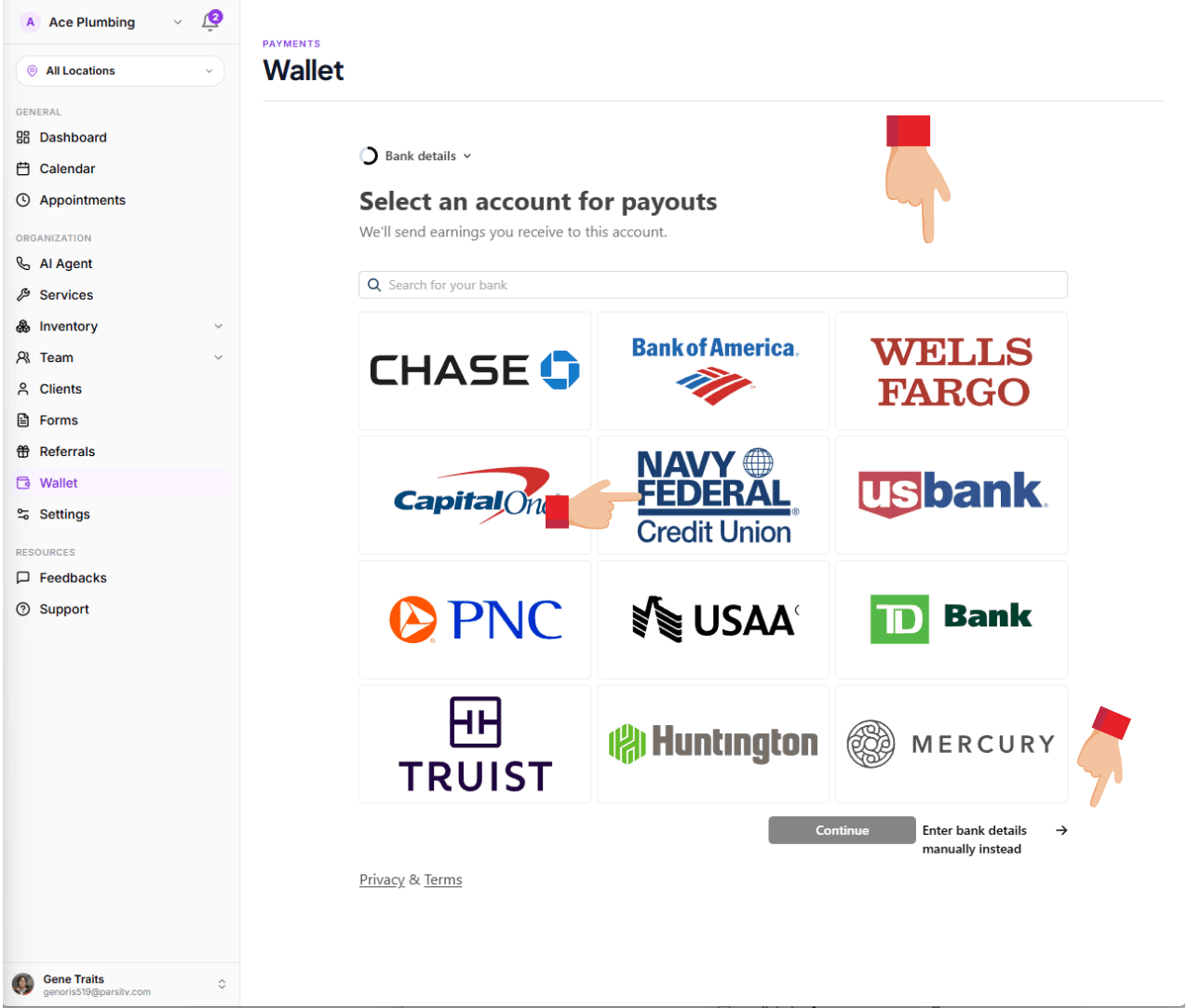
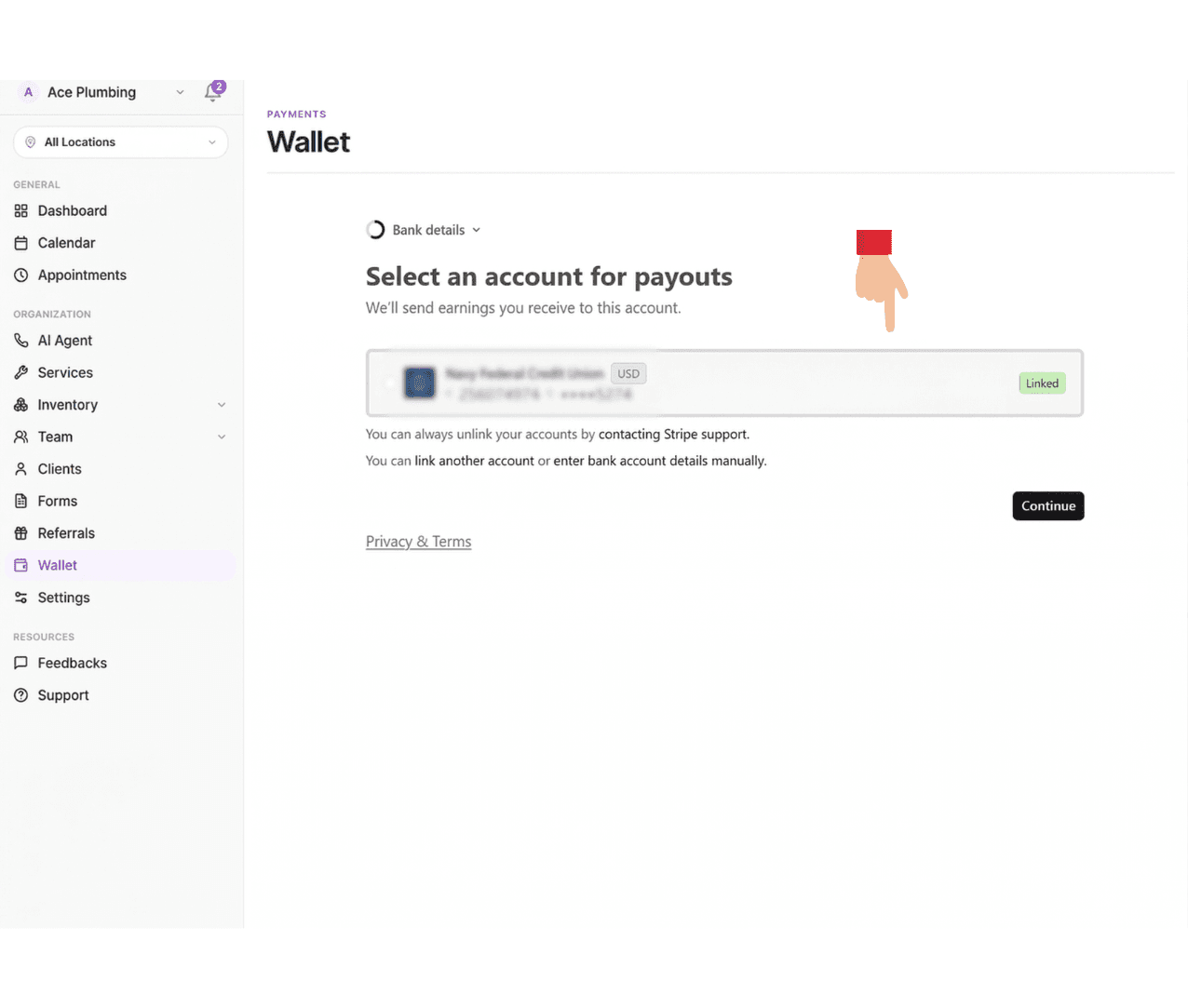
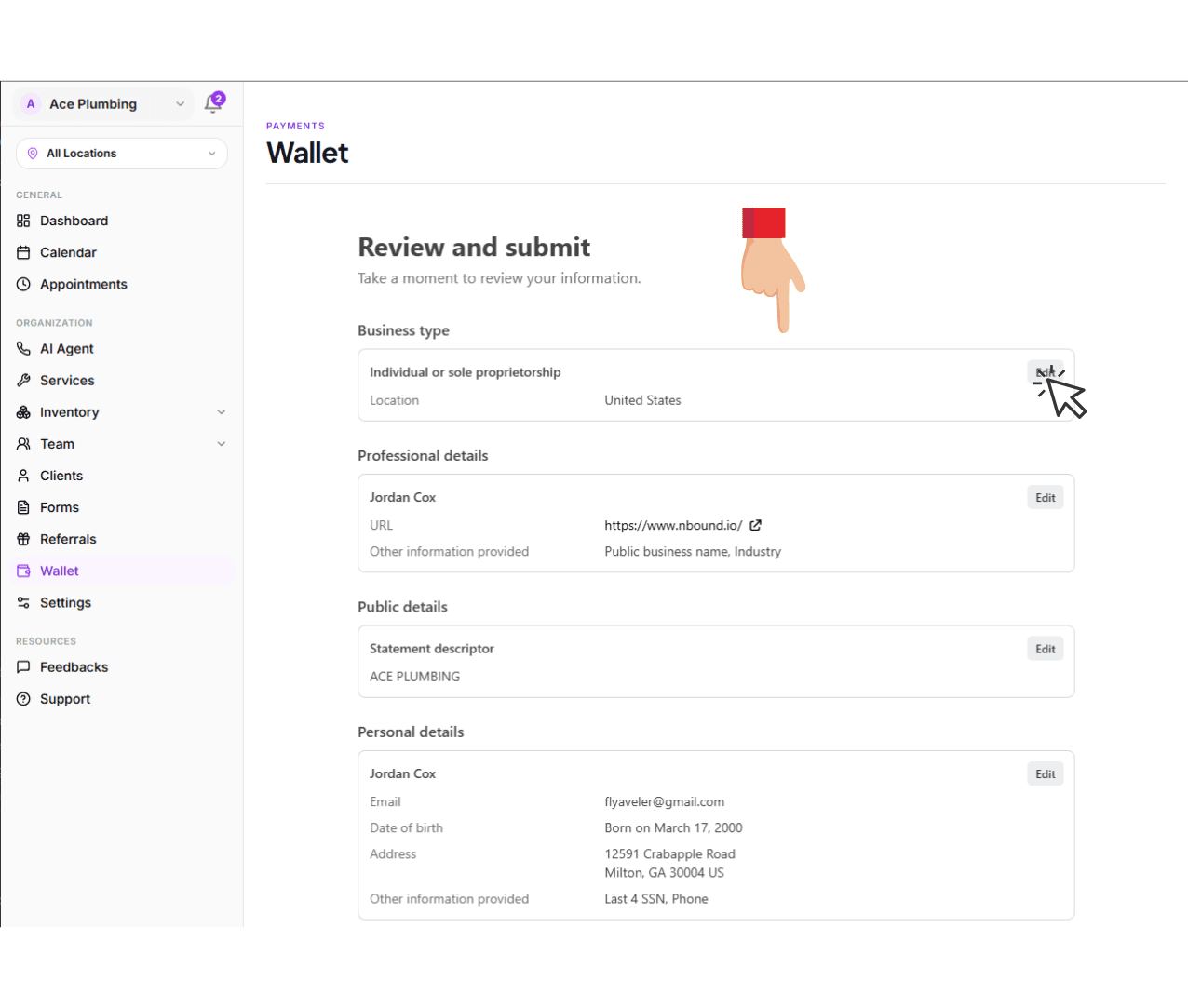
Open the global menu and tap the Wallet tab.
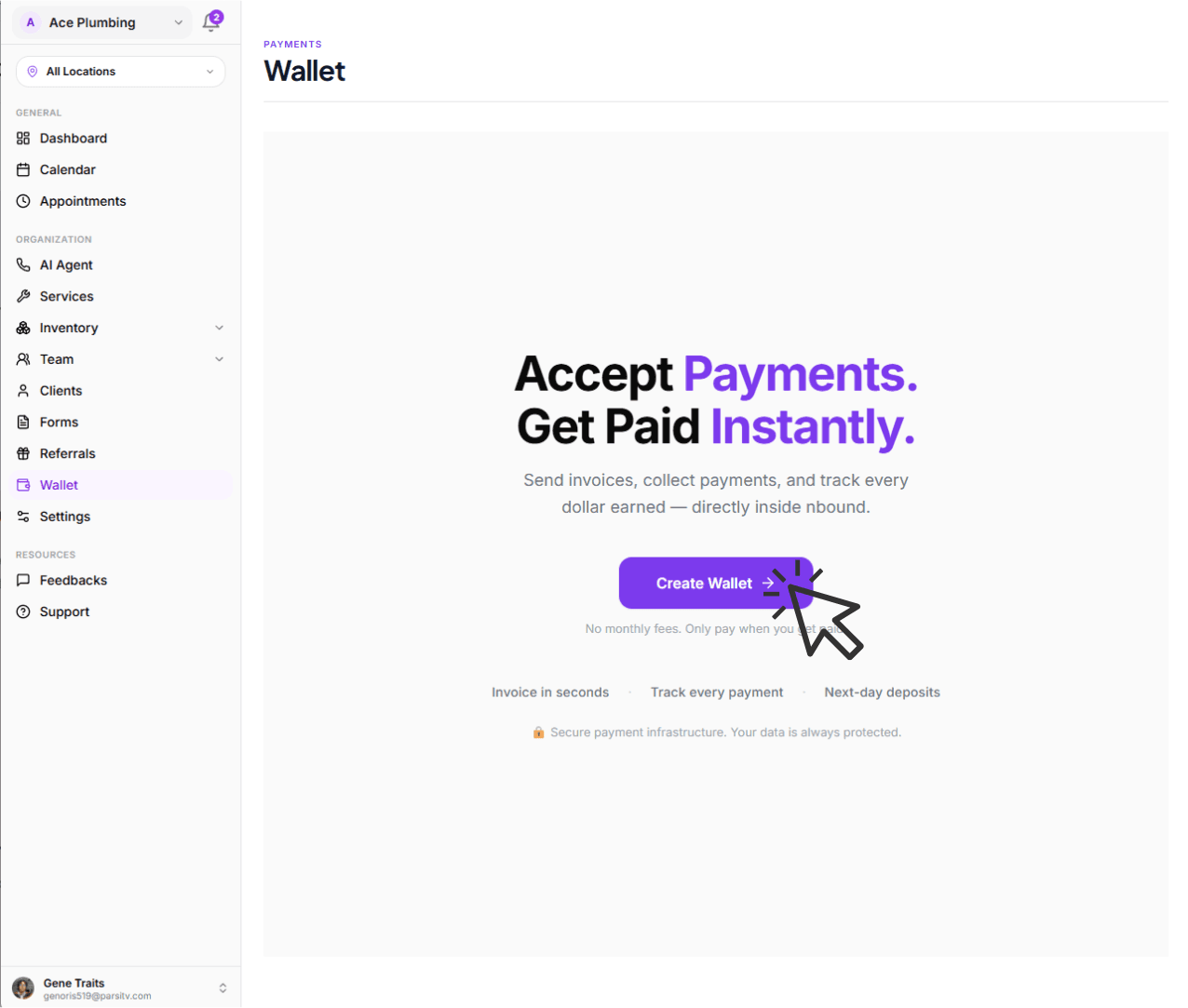
Tap the Create Wallet button to start.
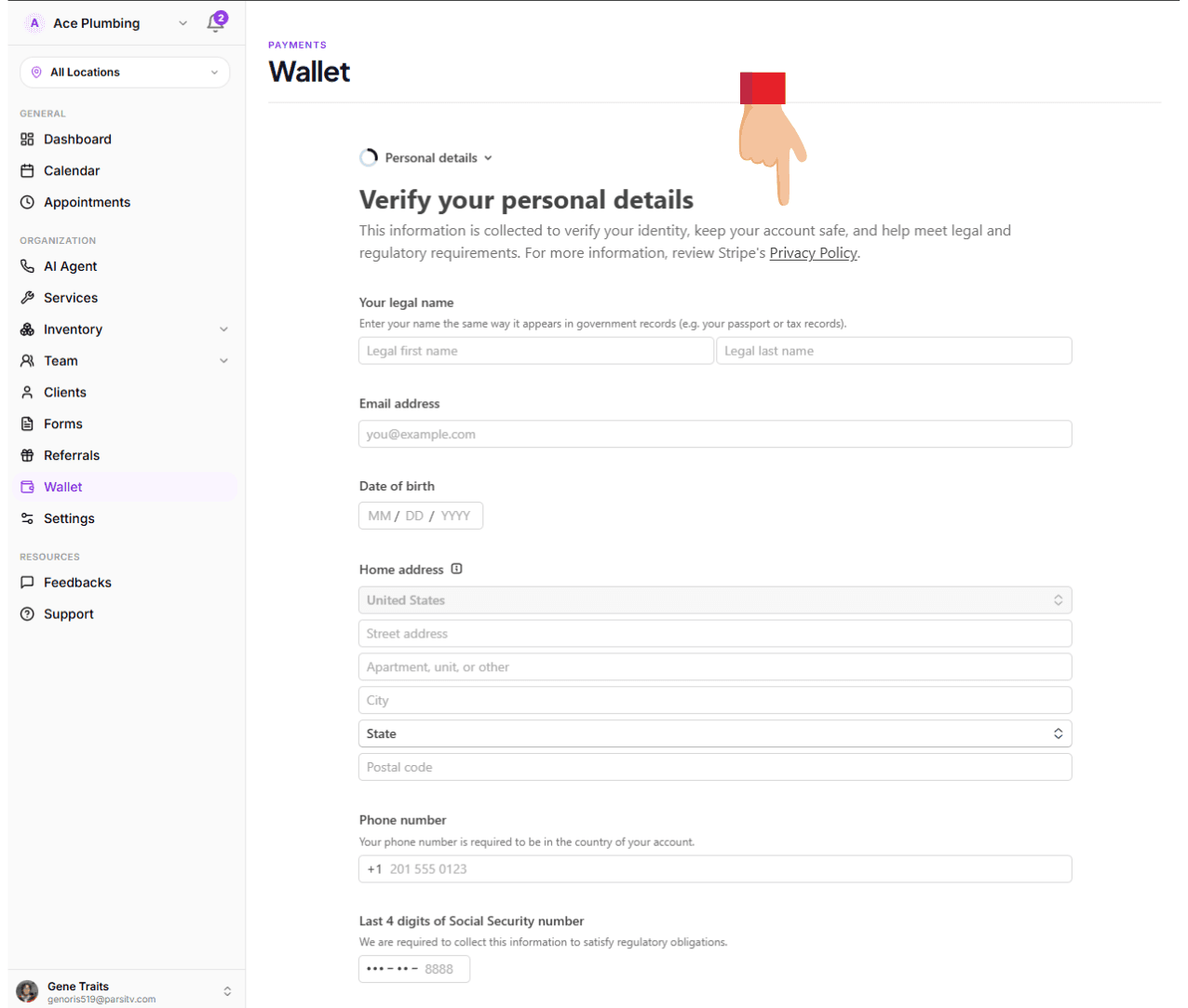
Enter your personal information and tap Continue.
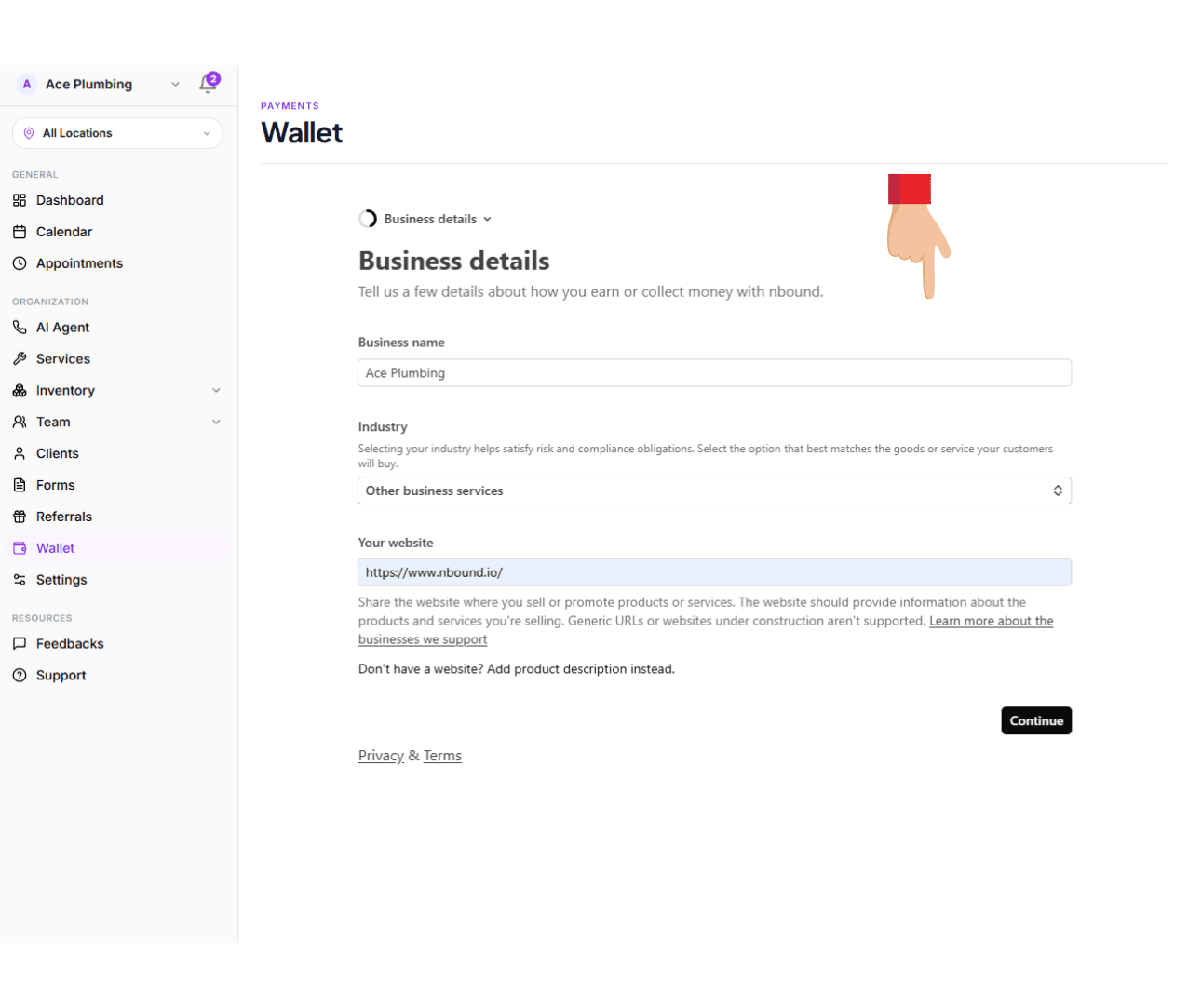
Enter your business details, select the business category and input your website.
Connect your bank account or debit card.
Confirm your payout settings and tap Continue.
Review and tap Agree and Submit at the bottom.
Please wait while your account is being verified.
Next: Manage your balance
Now that your wallet is set up, learn how to monitor your incoming funds and track your available balance.
Go to balance overview
Deep dive into the difference between pending and available funds.
View guide: Managing your Balance