In this article
How promotions work
Promotions allow you to offer discounts to your clients, which can be applied to invoices and service bookings. These are created directly on your connected Stripe account.
Connected Coupons
The promotions you create are specific to your business and linked directly to your connected merchant account. This ensures you have full control over your discount strategies.
Step-by-step creation guide
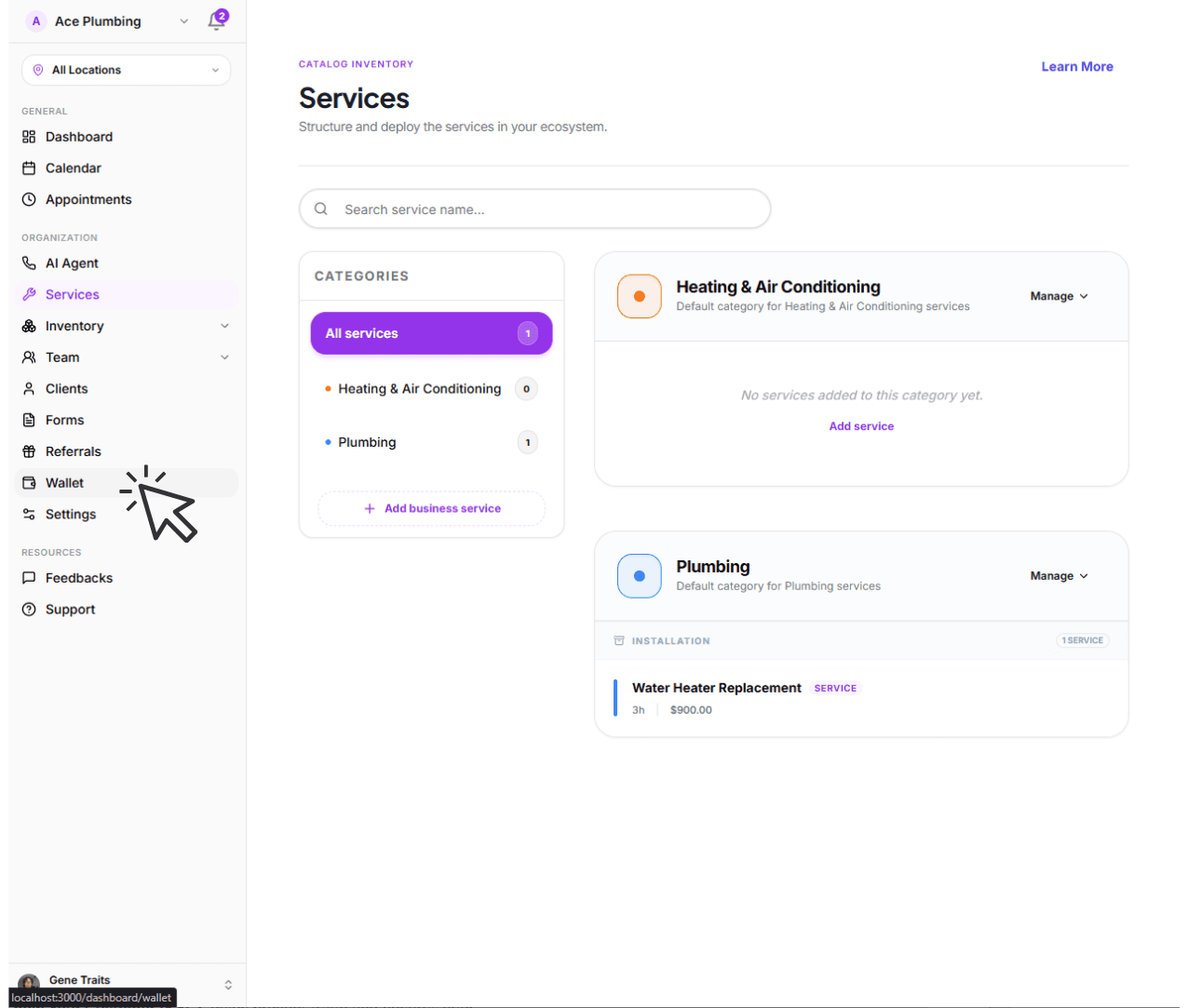
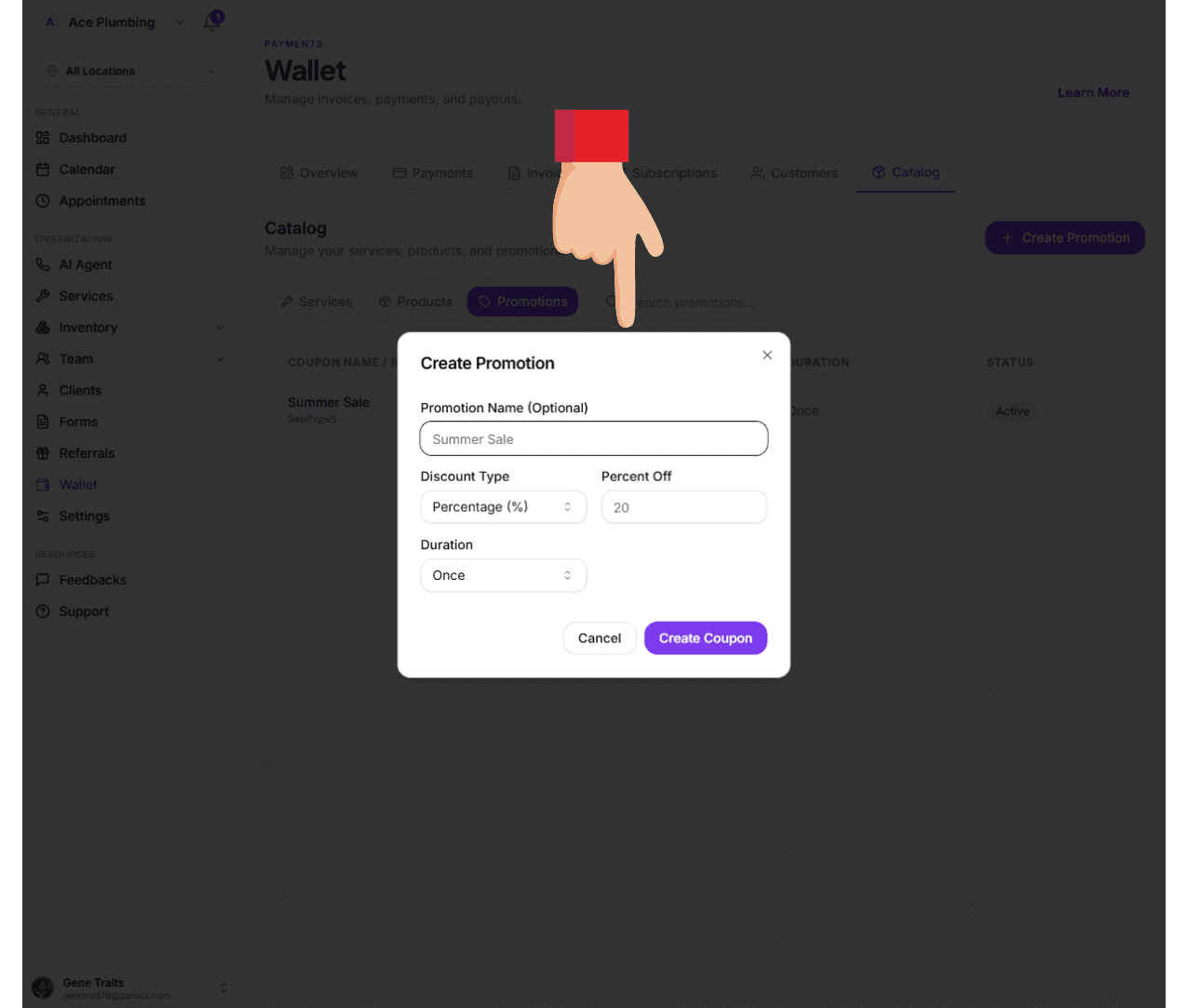
Open the global menu and tap the Wallet tab.
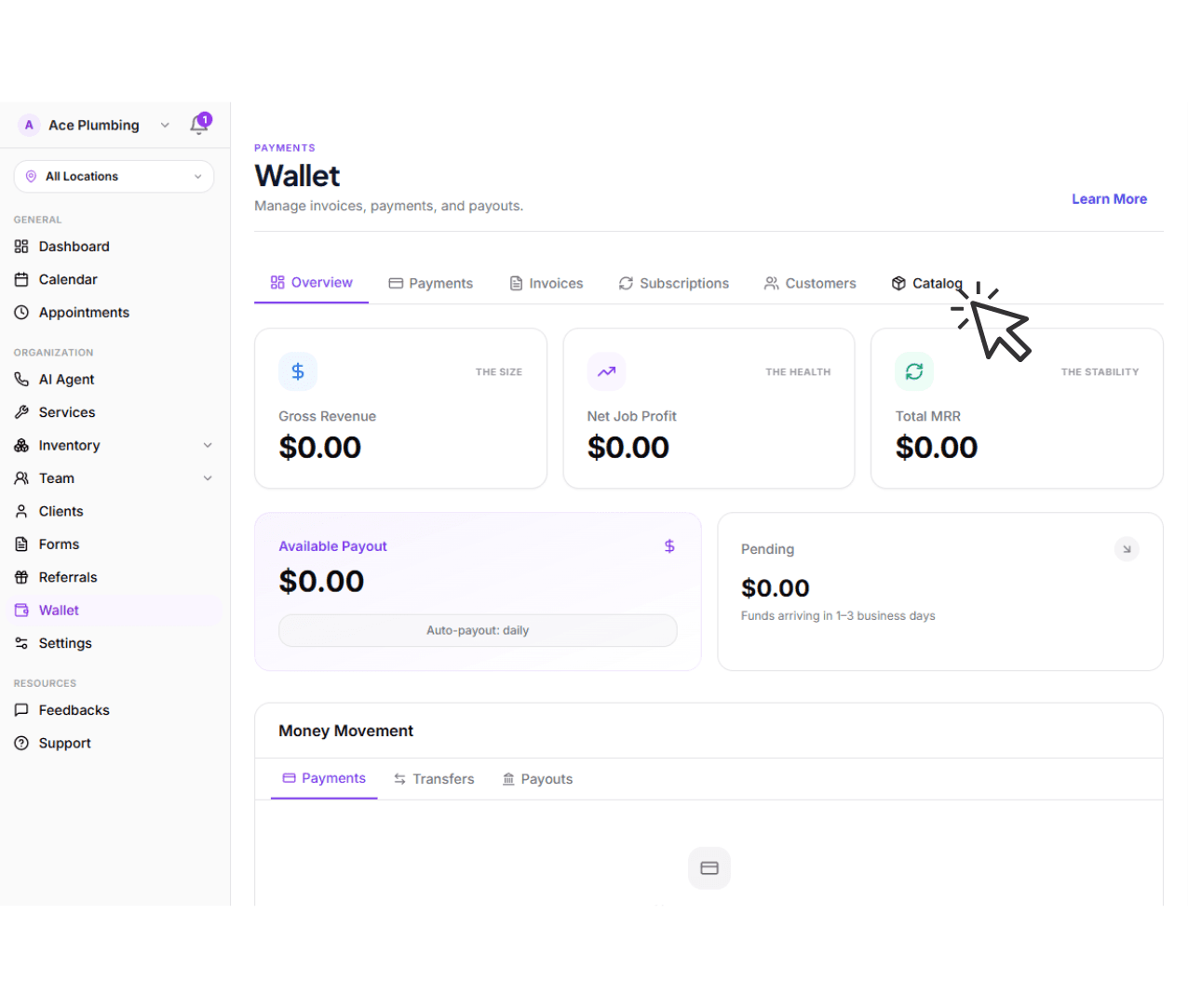
Tap the Catalog tab from the main navigation.
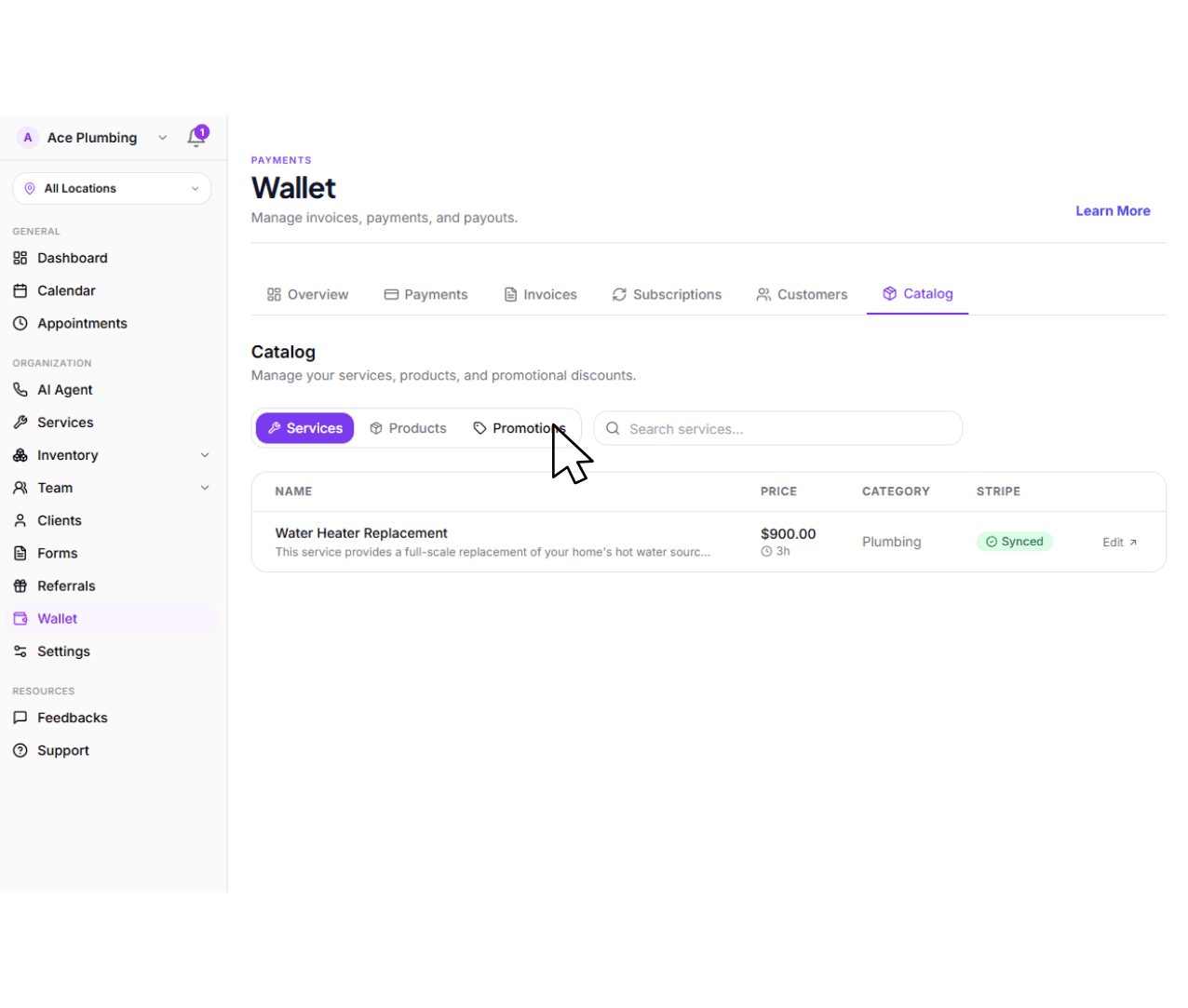
Tap the Promotions sub-tab.
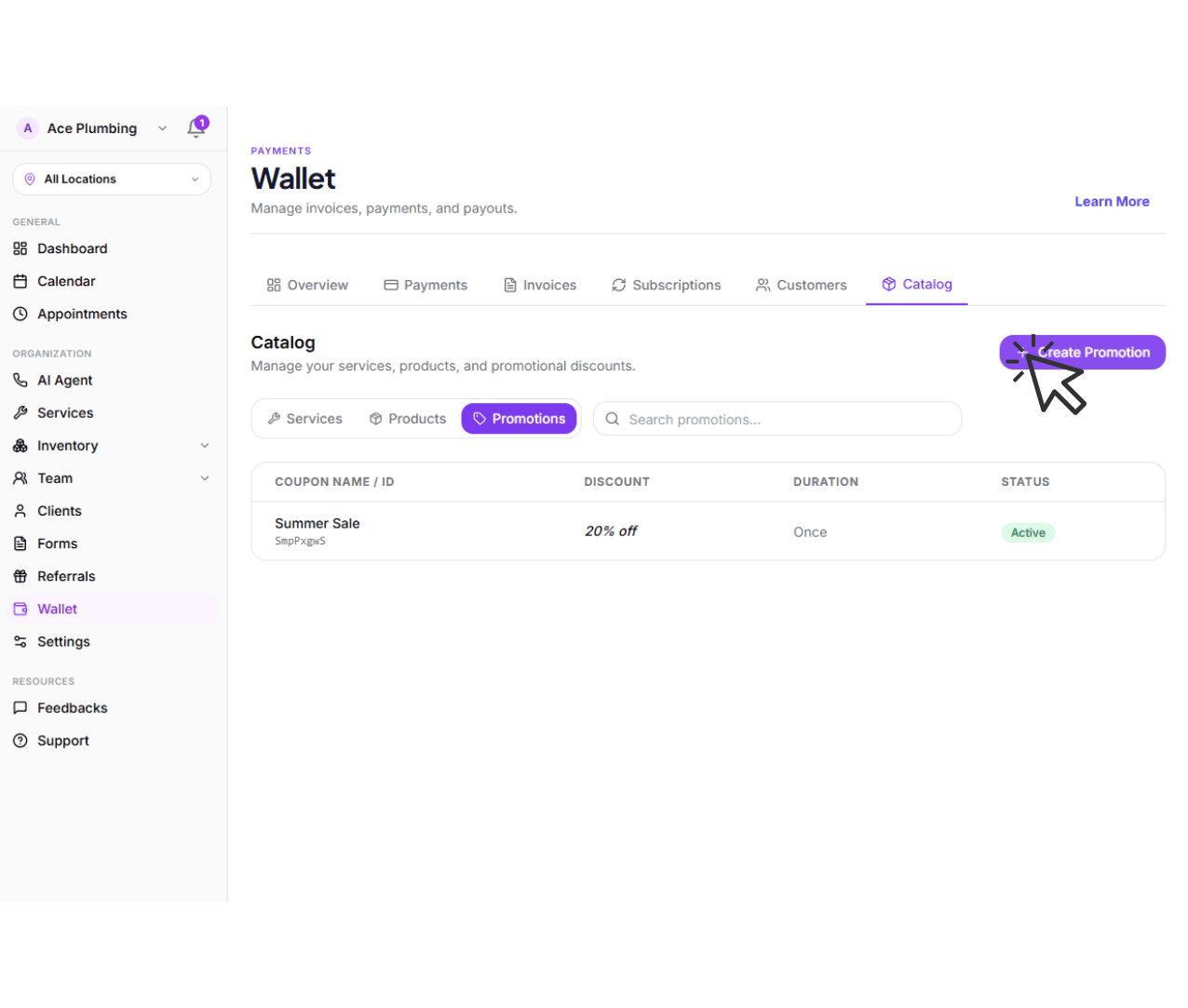
Tap the Create Promotion button.
Fill in the promotion name, discount type, value, and duration, then tap Create Coupon.
Next: Manage your balance
Now that your promotions are set up, learn how to track the transactions and balances generated by your business operations.
Go to balance overview
Deep dive into the difference between pending and available funds.
View guide: Managing your Balance